
Added
Train and Test Feature
over 3 years ago
We are excited to introduce the Train and Test Environment feature, designed to make the onboarding process and model testing a breeze! Here's a quick overview of the key features and benefits:
Overview:
- The Train and Test Environment addresses the challenges faced during onboarding and testing new models in an existing process.
- Separate environments are provided for testing and production processes, ensuring that the two workflows do not interfere with each other.
- Users can now test and implement new models and APIs using the UI-platform or API calls, without disrupting the existing production process.
Key Features:
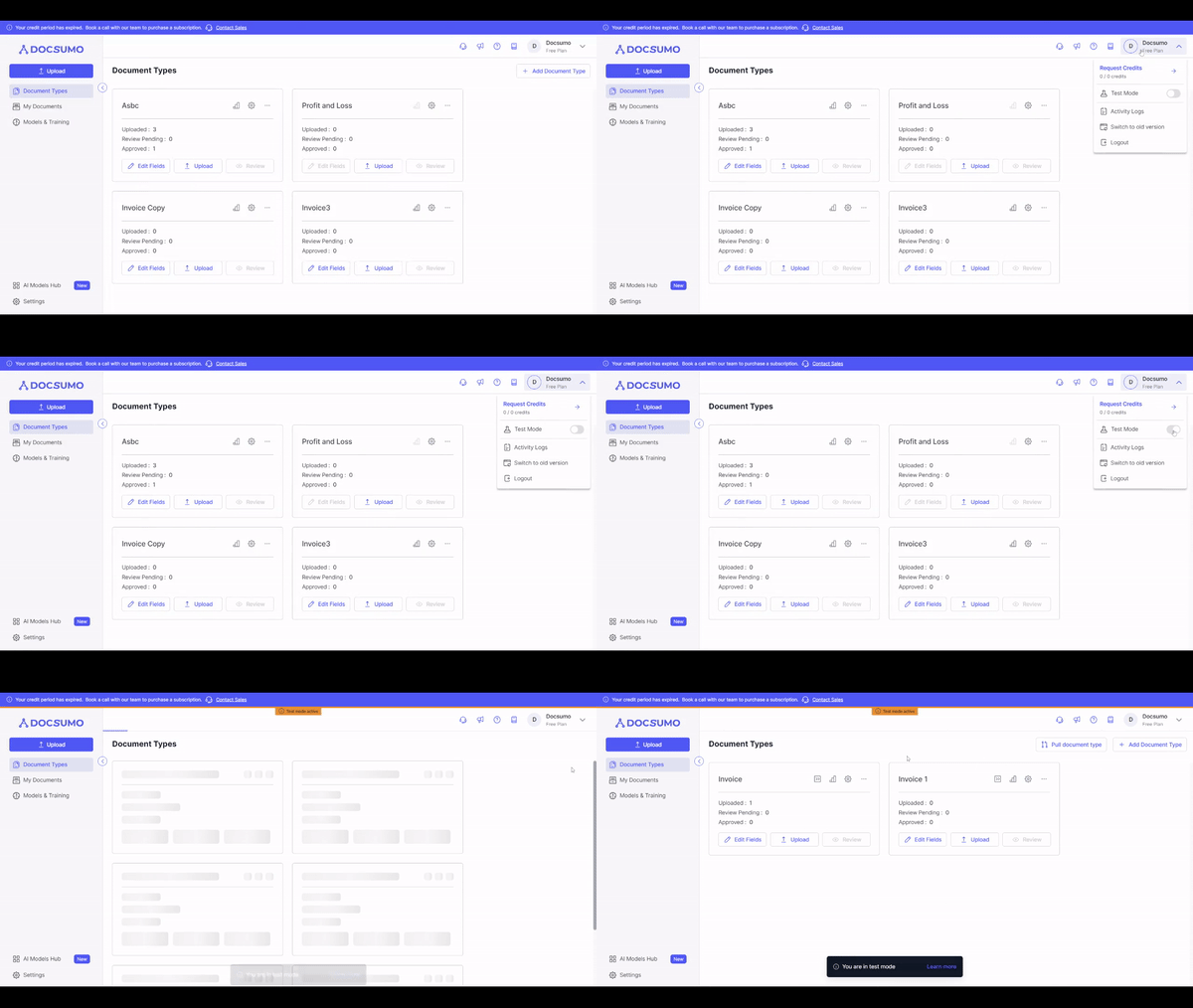
-
Switch between Test and Production Environments:
- Users can easily switch between the Test and Production Environments, keeping their workflows separate and organized.
- All functionalities except account and user settings are available in the Test Environment, enabling seamless model testing.
-
Option to Push Changes to Production:
- Users can push the changes made in the Test Environment to the Production Environment.
- Document types, models, and other linked settings can be efficiently moved to the Production Environment when ready for client testing.
-
Selective Merge of Changes:
- Users can choose which changes to merge when pushing from Test to Production.
- This feature gives users control over the changes they want to apply, preventing unnecessary disruptions.
-
Rollback Changes to Previous Version:
- In case of any issues, users have the option to roll back changes to the previous version in the Production Environment.
-
Separate Webhooks and API Keys:
- Webhooks and API keys are kept separate in both environments to ensure data integrity and avoid confusion.
-
Credit System:
- The credit system remains the same for both environments, but users can allocate credits for testing or set limits to restrict usage.
-
Sync with Production:
- Users can sync data and settings from the Production Environment to the Test Environment, allowing for easy restart if needed.
-
Tagging for Clarity:
- All items that are exclusively in the Test Environment will be tagged as such, preventing confusion between the two environments.
User Benefits:
- Clear separation of workflows, reducing the risk of disrupting the production process during testing.
- Improved flexibility for testing and implementing new models and configurations.
- Increased control over changes to be applied, ensuring smooth transitions between environments.
- Effortless synchronization of data and settings from Production to Test, enabling easy restarts if required.
- Enhanced visibility with clear tags for items unique to the Test Environment.