---
updatedAt: 2025-11-12T22:27:46.000Z
agentTools:
projectIndex: https://support.docsumo.com/llms.txt
---
# Find and Replace within Tables
The "Find and Replace" feature provides an efficient way to locate and replace text within tables, saving time and effort.
## How It Works:
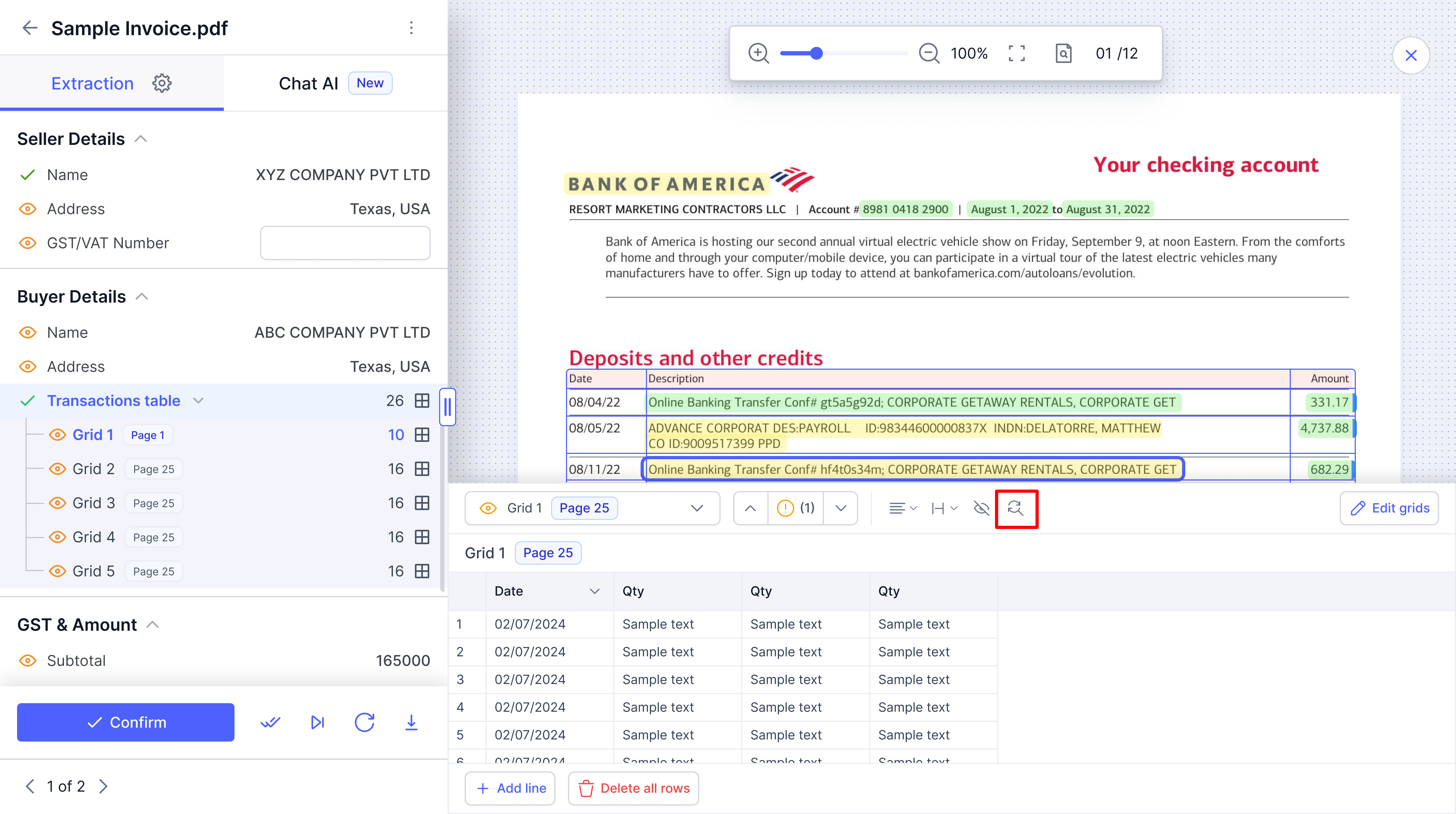
**Step 1: Find and Replace Button**
* Select the Find and Replace button located at the top of the tables.
**Step 2: Search Panel**
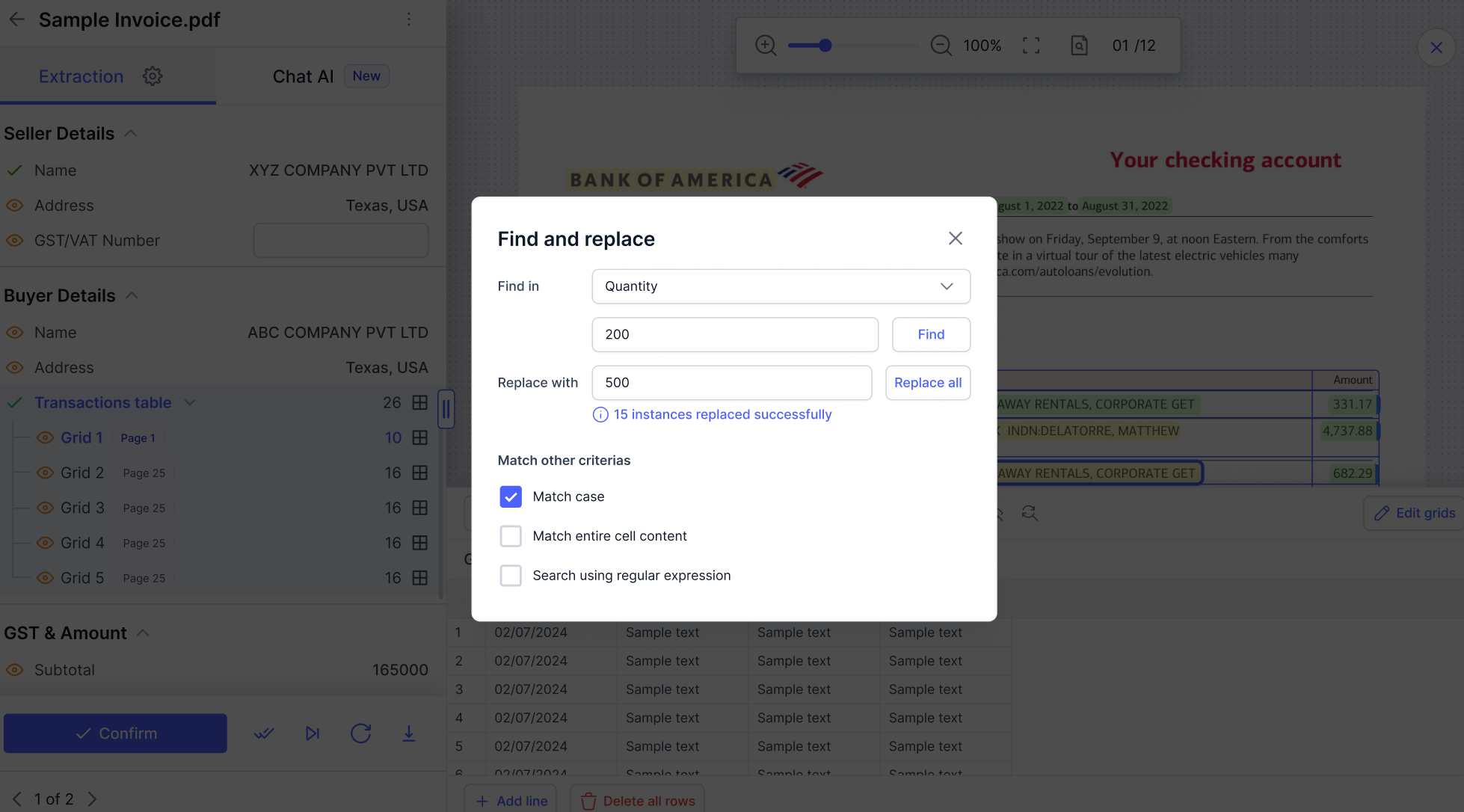
* Clicking the button opens a panel with the following fields:
* Find In: Select a specific column or all columns.
* Search Text Field: Enter the text you want to find.
* Match Case: Option to match case and entire cell content.
* Regular Expression: Option to search using regular expressions.
**Step 3: Replace Functionality**
* Replace With: Enter the text you want to replace the found occurrences with.
Should you have any questions or encounter any issues during the process, feel free reach out to us at , and we'll be more than happy to help you.