
AI Assist and AI Table Assist: Faster Annotation and Streamlined Table Extraction!
We are excited to unveil our latest release, packed with innovative AI-assisted capabilities and improved functionalities to enhance your document processing experience.
1. AI Assist: Accelerate Annotation for Custom Document Types
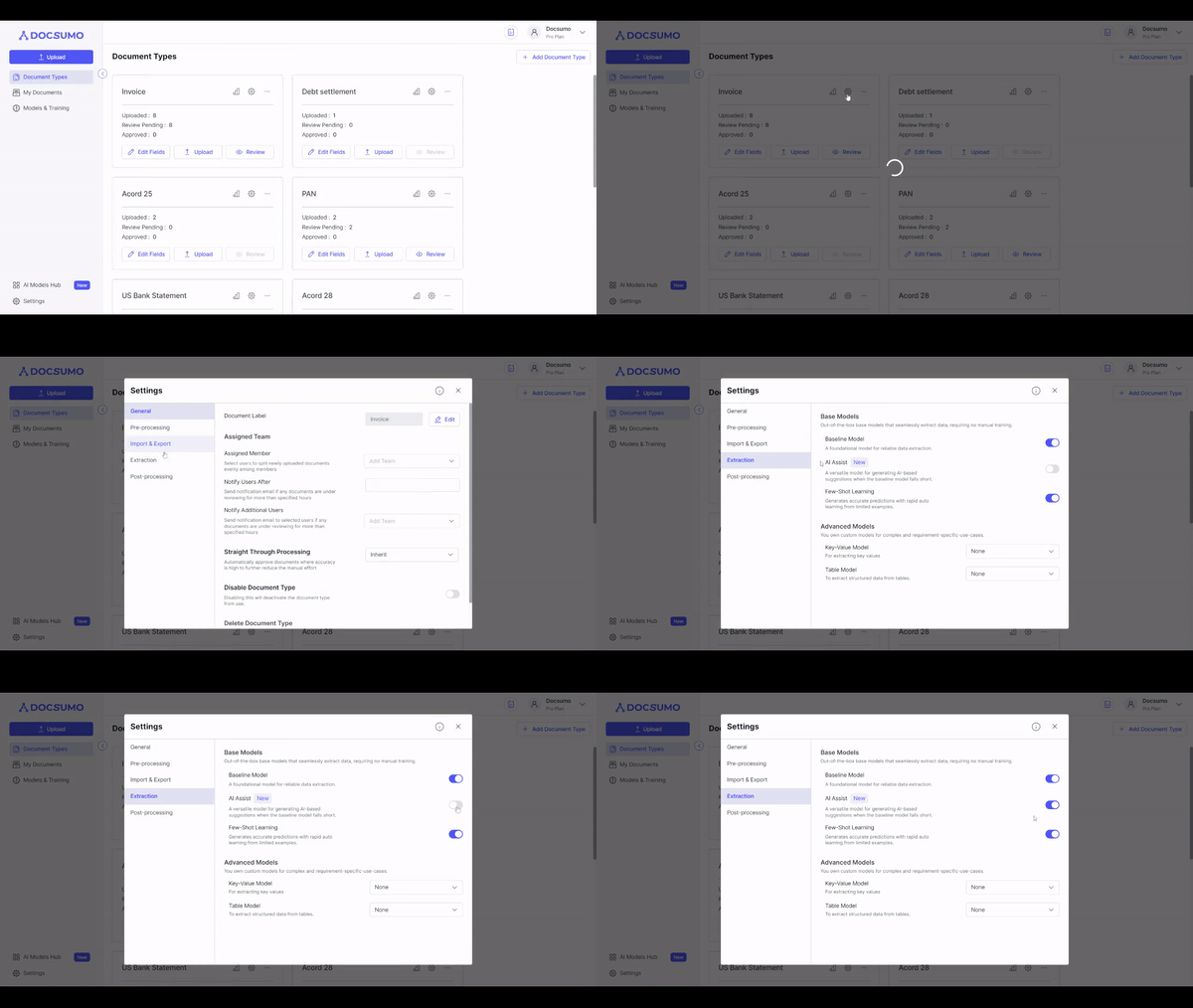
AI Assist is a game-changer that accelerates the annotation process for custom document types without pre-trained models. With AI Assist, you can annotate documents more efficiently and train ML models specific to your needs. Here's how to make the most of this feature:
- Enable AI Assist in the Document Type settings.
- Begin annotating using AI Assist, and it will intelligently suggest values for faster annotation.
- Train an ML model using annotated documents for even better extraction results.
- Analyze extraction results, refine annotations, and enhance the model's accuracy.
Explore the details of AI Assist
2. AI Table Assist: Streamlining Table Extraction
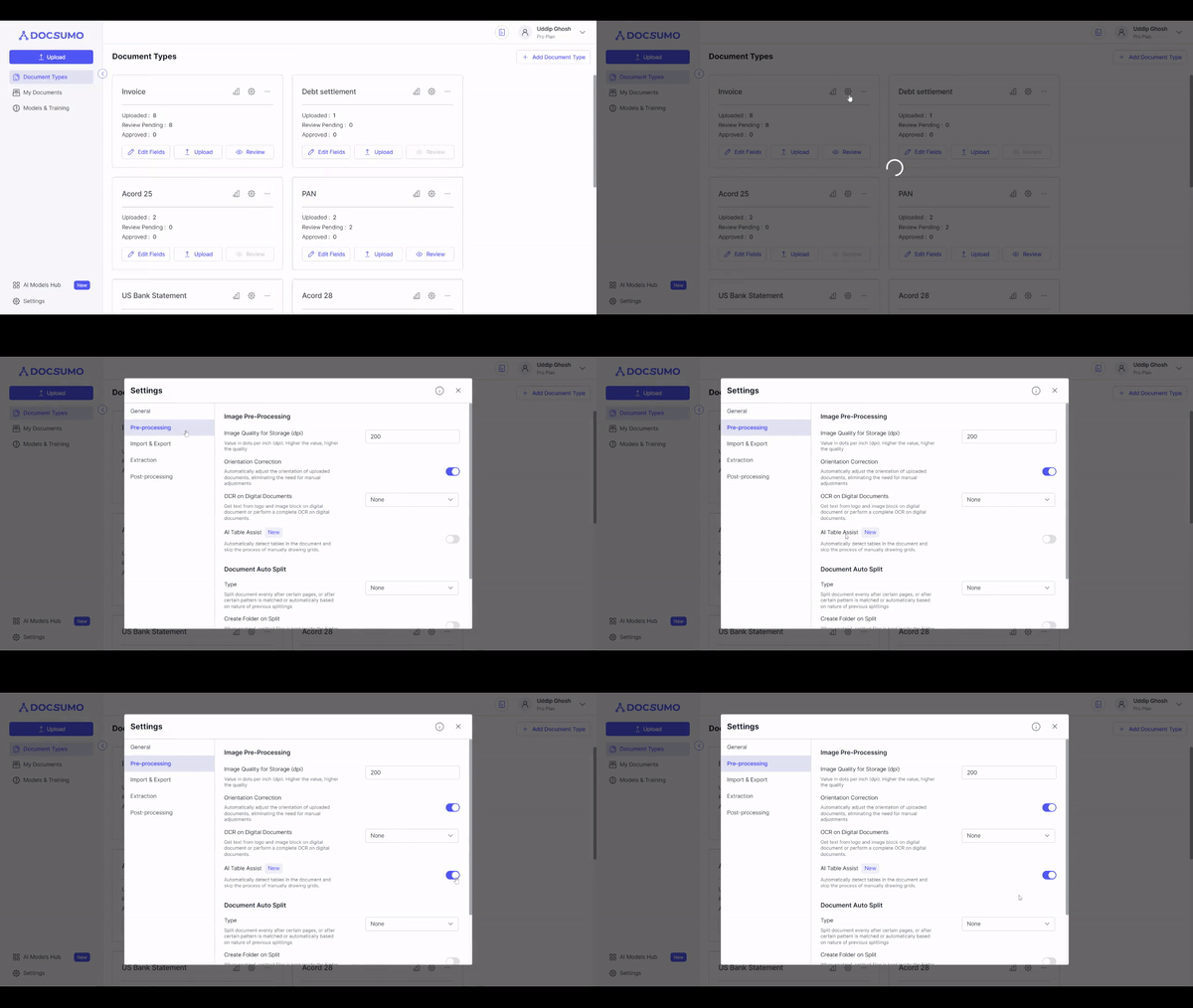
Say goodbye to manual grid drawing for table extraction! AI Table Assist automatically detects tables in documents, significantly boosting productivity. To harness this feature:
- Enable AI Table Assist in the Document Type settings.
- Automatically detect tables in the document, click "Add," and extract the table.
- Review and adjust column mappings, if needed.
- Optimize AI Table Assist further by training a model using annotated documents.
Explore the details of AI Table Assist
3. Table Tagging: Enhance Table Extraction and Categorization
In this release, we are introducing Table Tagging, a feature that enhances table extraction and categorization, improving user interface and experience. Here's how it works:
- Users can tag tables of similar types to merge them and display as one table.
- During review, users can define table categories and assign tags for better organization.
- Create tags during document type setup or on the review screen for seamless categorization.
4. Move Folder: Easily Organize Uploaded Files
We understand the importance of file organization, and in this update, we're introducing the "Move Folder" feature. You now have the flexibility to shift already uploaded files to desired locations (folders) effortlessly. Stay organized and maintain a clutter-free workspace with this convenient addition.
Experience the efficiency and ease of our enhanced AI-assisted features and functionalities in this latest release. We value your feedback and remain committed to providing you with the best tools and functionalities for your document processing needs.