
AI Agent Builder
Overview
Sumo AI, the assistant in the panel on the right of every screen, turns your agent requirements into an end-to-end automation. It gathers your inputs, proposes a plan, and builds the agent level by level, testing as it goes.
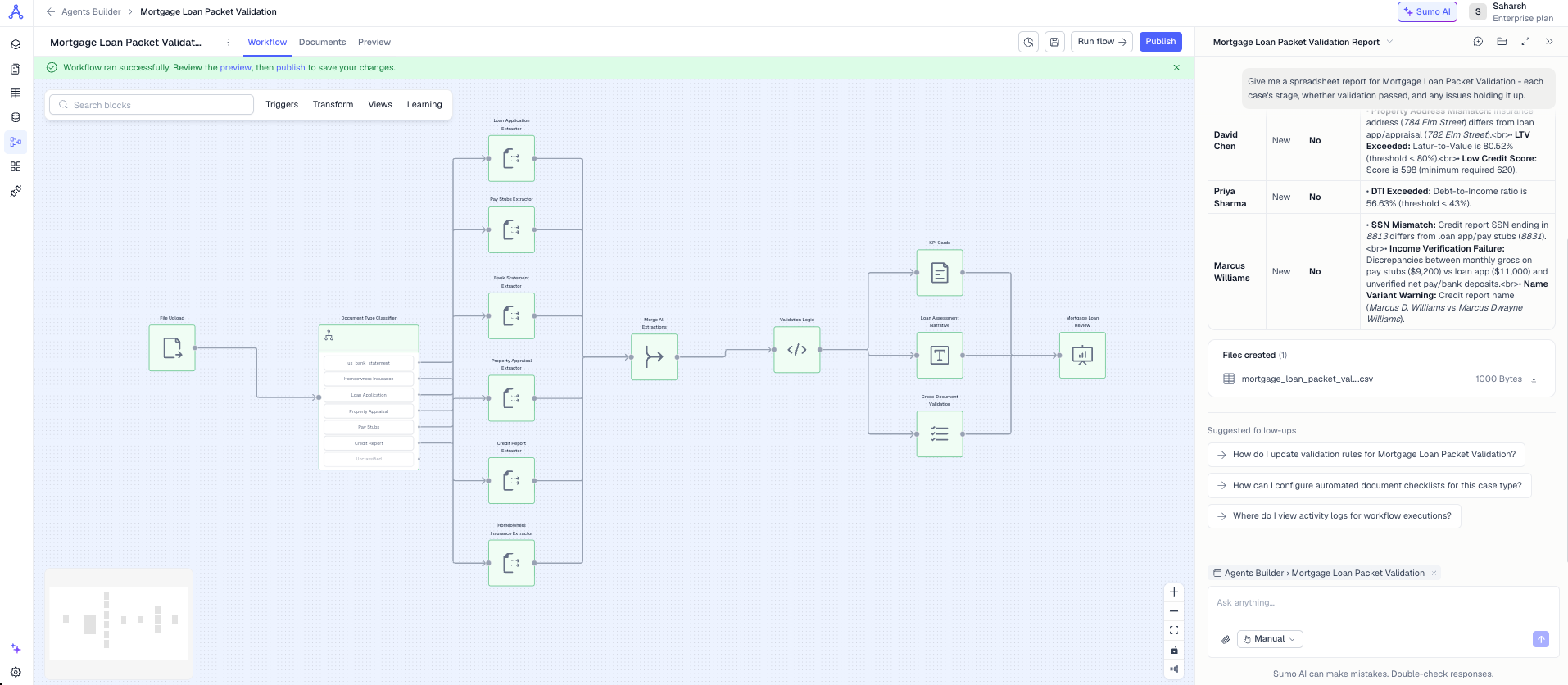
How it works
- You describe the requirements in natural language and attach sample documents
- Sumo AI asks a few questions, then presents a plan for your approval
- After approval it builds the agent level by level
- It puts your samples in the workflow's Drive and starts a test run. When the run finishes, ask it to check the results: it reports each case, the first failing step and a fix
- You can ask it to modify your agent, run tests, or explain block configurations anytime
- Start a new chat from the Sumo AI panel when you want to start fresh
Example prompt
Create an accounts payable workflow that does 3-way matching between vendor invoices, purchase orders, and goods receipts.
It should extract data from all three documents and Validate:
1. PO Number matches between PO and GRN
2. Vendor Name match across all three documents
3. Items description must match across docs
4. Total matches in PO and Invoice
Flag to Purchasing Team if there are discrepancies.
Prompt best practices
- State the main goal upfront: “Create a workflow to automate the loan application process.”
- Specify document types and how they arrive: “It should handle Bank Statements, Financial Statements, and Loan Applications received via email.”
- Detail the validations you expect: “Company details must match across all documents, and the last 12 months of bank statements should be included.”
- Include branching or review rules: “If any validation fails, flag the application for manual review.”
Updated 5 days ago
Did this page help you?