
Runs and Run History
A run is one execution of a workflow. For a workflow without a case, run history is where its output lives: there is no case to open, so the run is the record of what happened.
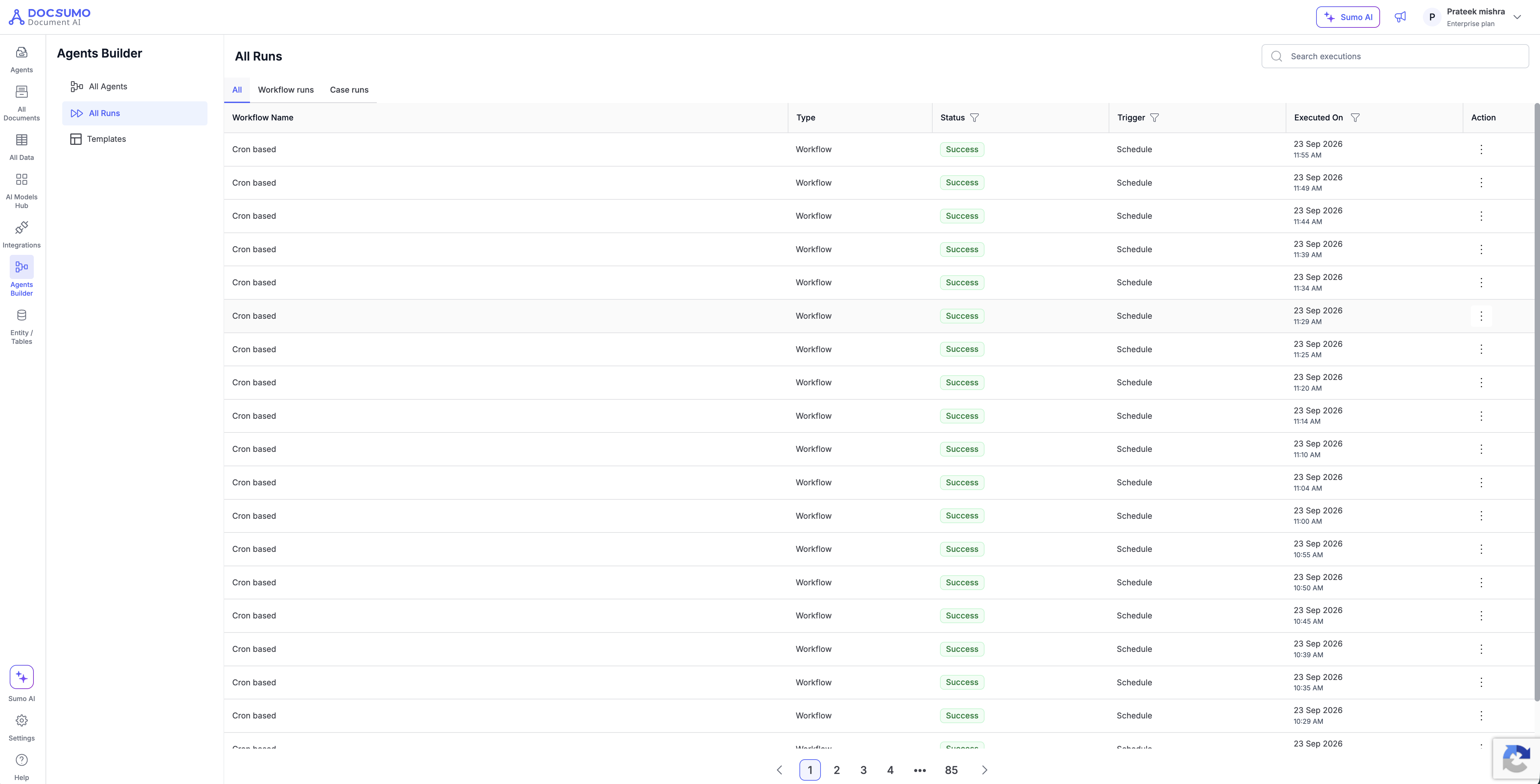
All Runs
Agents Builder → All Runs lists every run in your organization.
Tabs: All, Workflow runs, Case runs. A run's tab follows its workflow's kind.
| Column | What it shows |
|---|---|
| Run Id | The run's identifier |
| Workflow Name | Which workflow ran. Filter by workflow here |
| Status | See below |
| Case Name | The case, for case runs and Case Event runs |
| Trigger | What started it: Upload, Schedule, Case Event or Manual |
| Mode | Test or live |
| Version | The workflow version that ran |
| Executed On | When |
Statuses include Running, Success, Error, Cancelled, Failed to run and Waiting for approval.
The Runs panel in the editor
Click Runs in the editor's top bar to open the panel for the workflow you are editing.
- On a case workflow, each row is a test case with its latest run.
- On a workflow without a case, each row is a run.
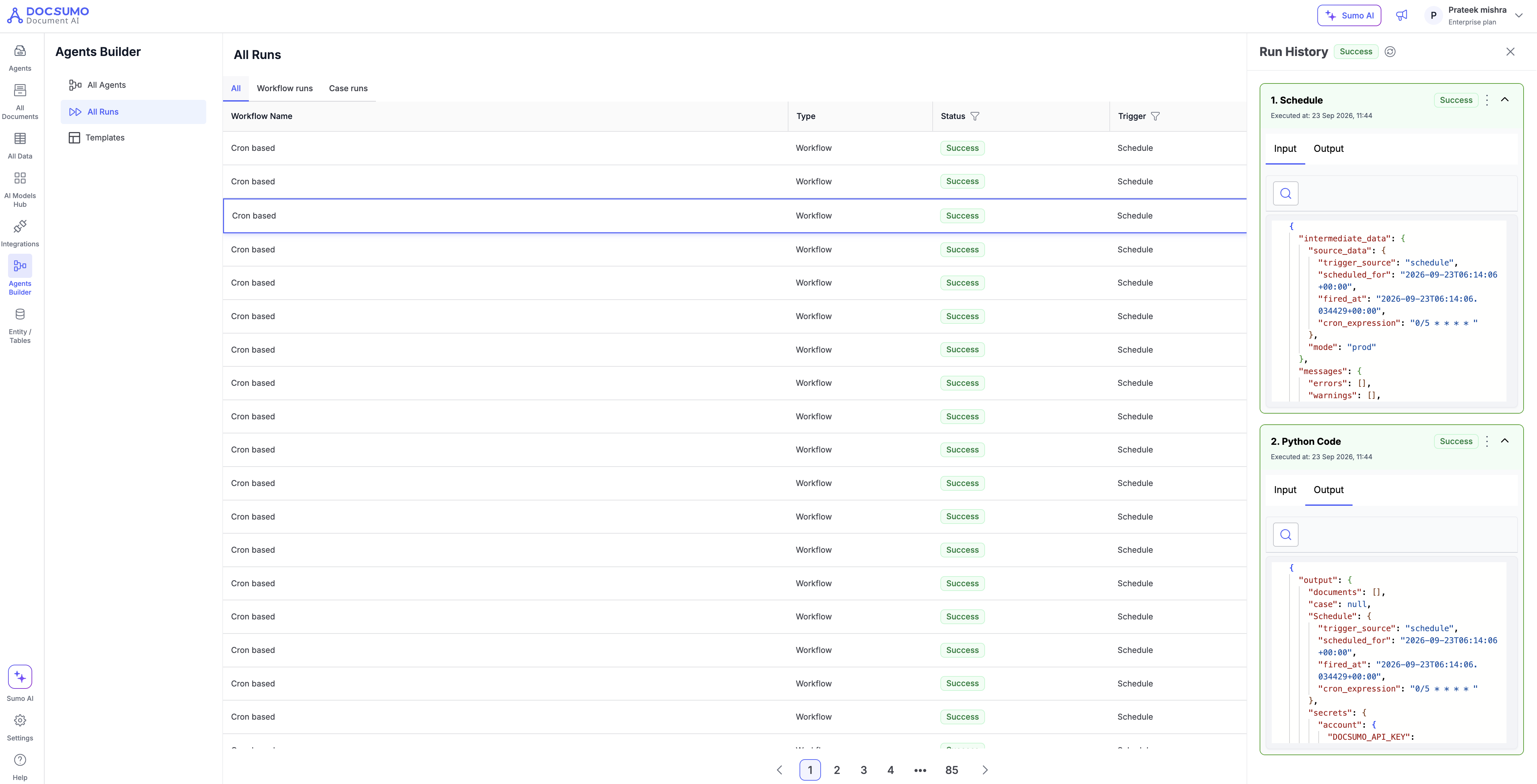
Click a row to load that run onto the canvas: every block shows its status, and its input and output.
While you view an older run the canvas is locked. Use Go back to editing in the banner to return to the newest run and unlock it.
Run detail
Open a run to see:
- Block status and timing. Each block shows whether it succeeded, failed or is waiting.
- Block input and output. The exact data each block received and produced, for debugging and for confirming which cases a Case Update or Case Action touched.
- Approvals. A run parked on a Human in the Loop step shows Waiting for approval. Approve or reject from the run.
- Exports. Files produced by an Export block are downloaded from the run.
Failures
A failed run keeps its full block-level detail so you can see which block failed and why. Runs are not retried automatically: a run that failed at step 7 has already done steps 1 to 6, and a blind retry would repeat them. Fix the cause, then run again by hand or wait for the next scheduled time.
Running by hand
Run in a workflow's row menu in Agents Builder starts its published version now. It is available on any workflow that is not a case workflow, so a scheduled workflow can be run ahead of time.
Disable auto-run in the same menu pauses a Schedule or Case Event trigger without unpublishing. The workflow does not start on its own until you Enable auto-run again. Runs you start by hand still work.
Updated about 1 month ago