
How to upload each folder as cases?
Due to browser limitations, you cannot just click "Upload Folder" and each folder will become cases, as you may also have cases where a folder has subfolders with files of the same cases.
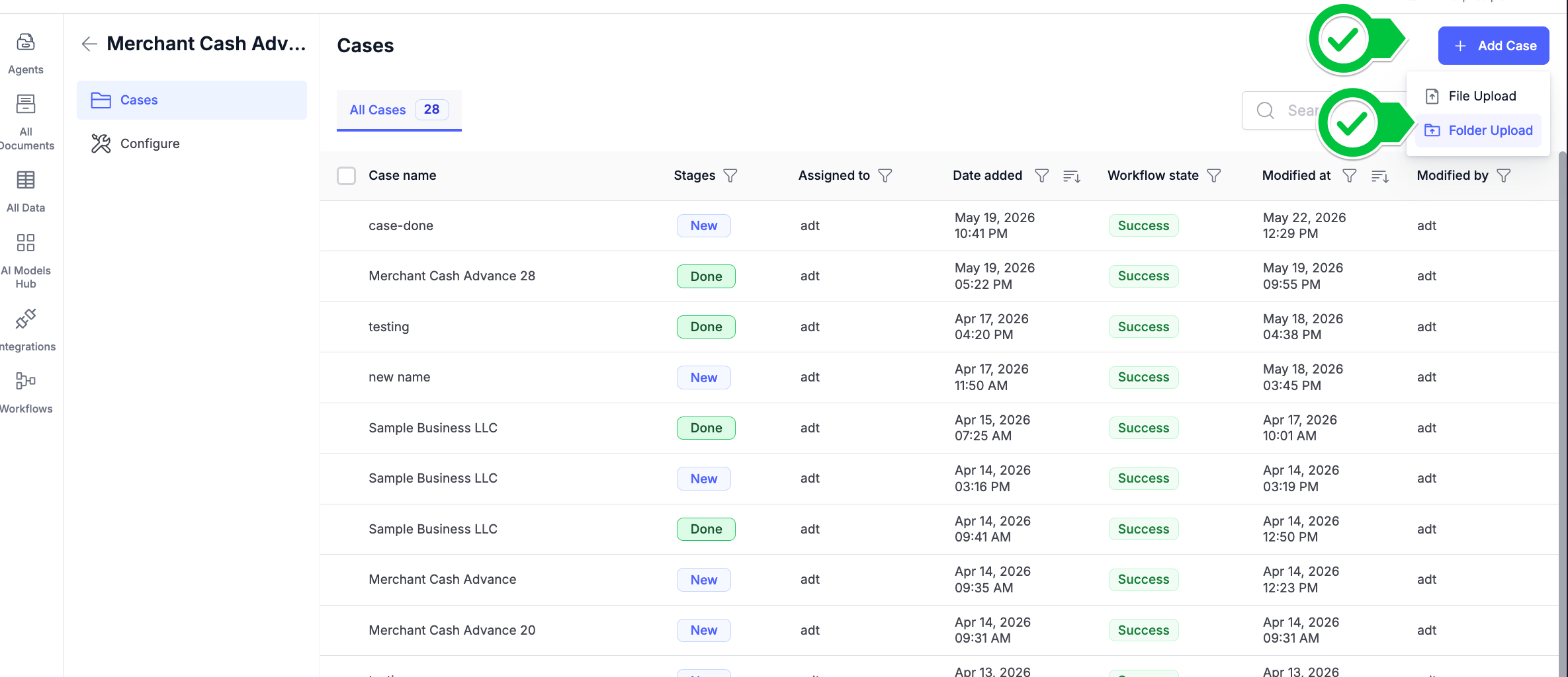
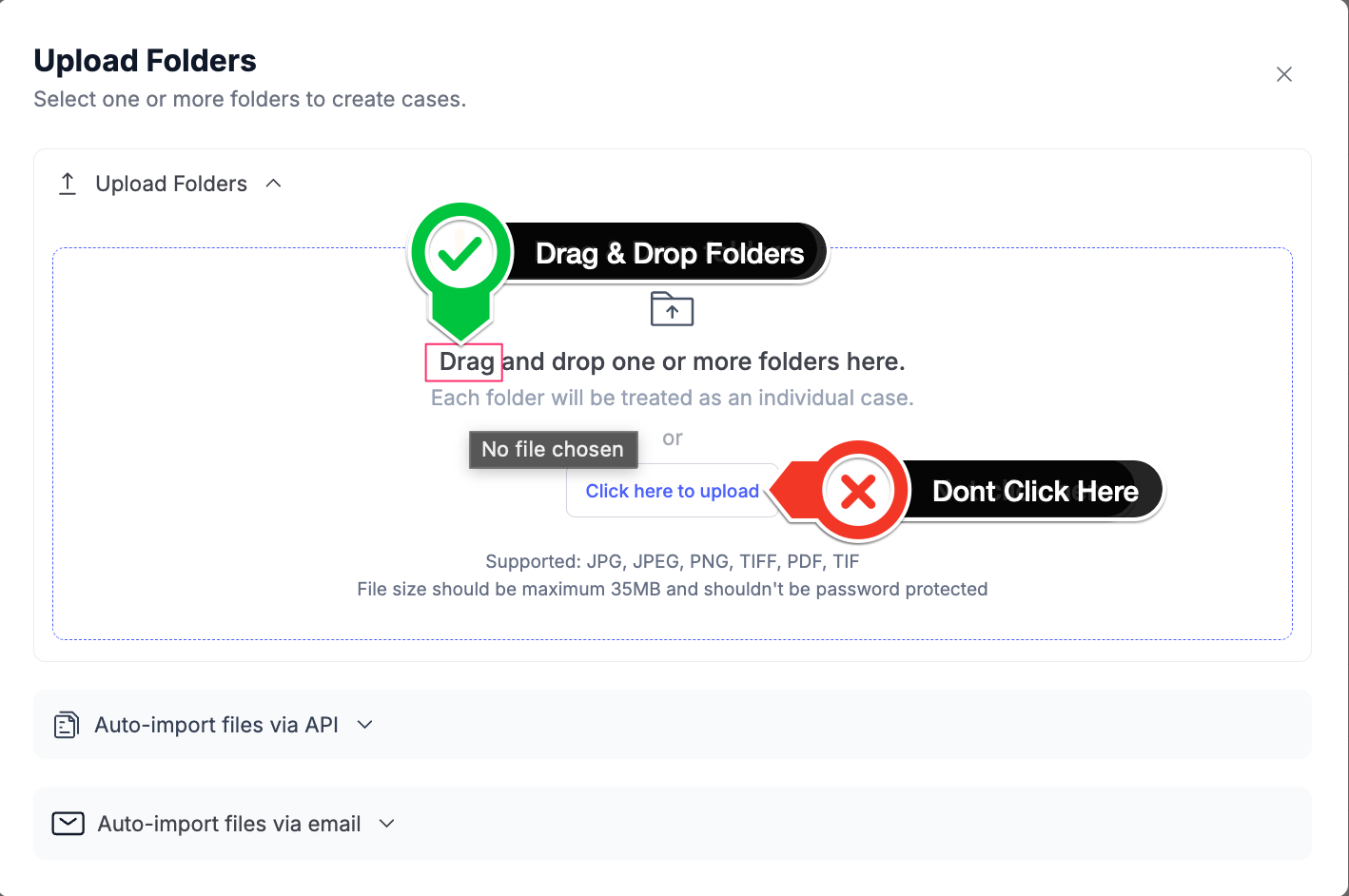
Hence, if you want to upload each folder as cases, please drag and drop the folder after you click on "Folder Upload". Please do not click on "Click to Upload Folder".
Here is a step-by-step guide.
- Go to active cases

- Click on folder upload
- Drop and drag the cases
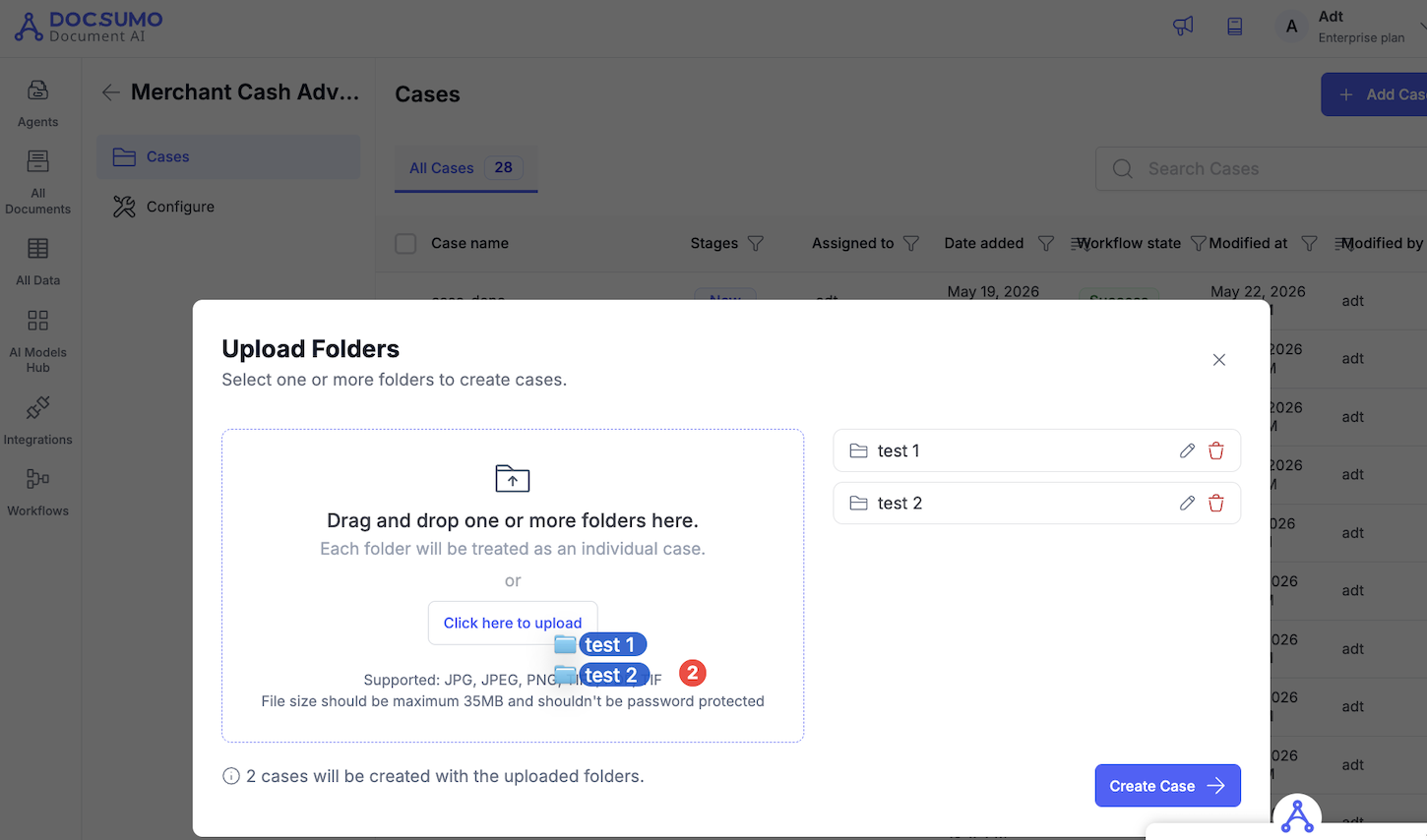
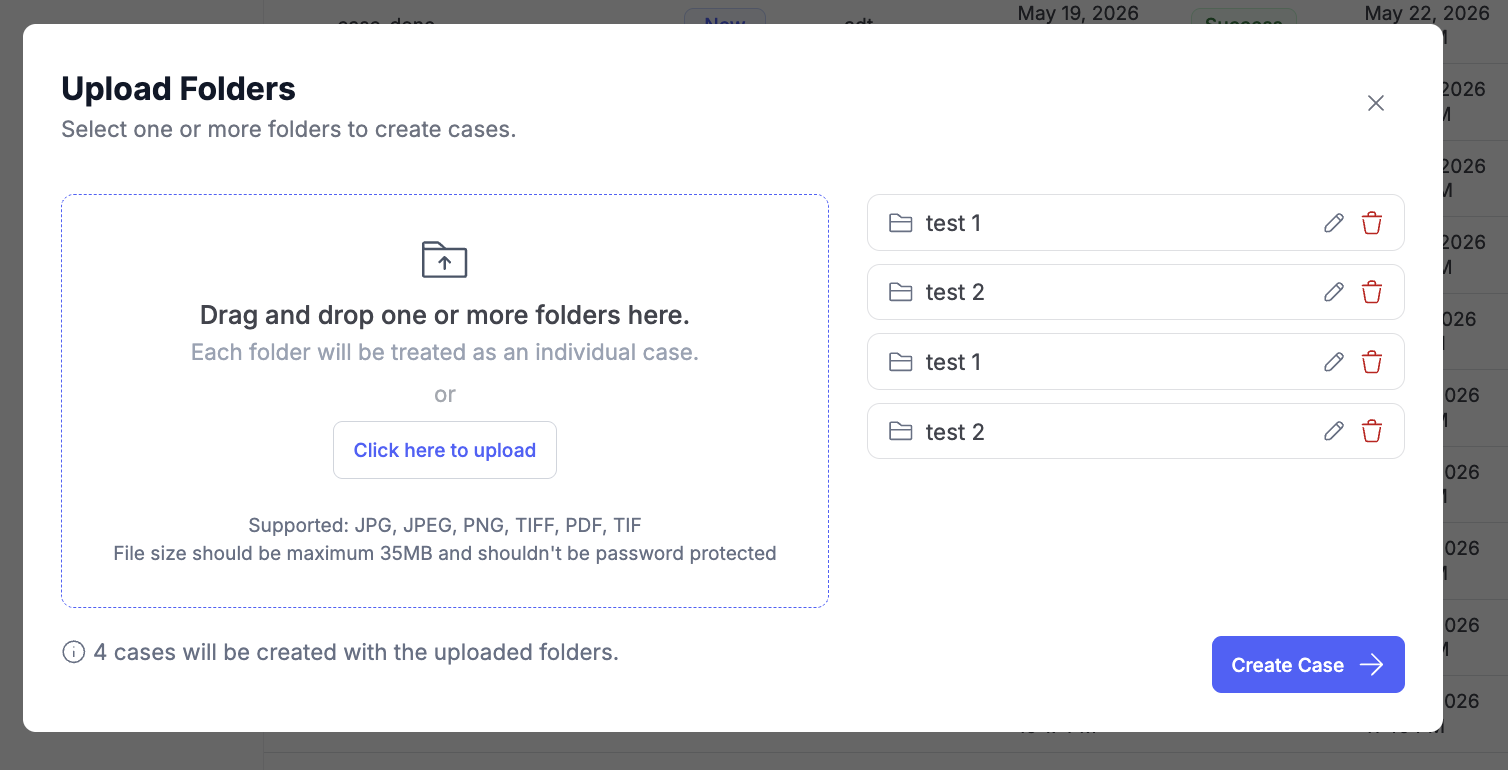
- Click on create cases.
Happy automation.
Updated 5 months ago
Did this page help you?