
Secret Management
Overview
Secret Management allows you to securely store sensitive keys and variables in Docsumo and reuse them across workflows. This helps you avoid hardcoding credentials inside blocks while building safer, cleaner, and more maintainable integrations.
Secrets can be used directly inside blocks such as External API and Python Code, making it easy to manage authentication tokens, API keys, and other confidential values centrally.
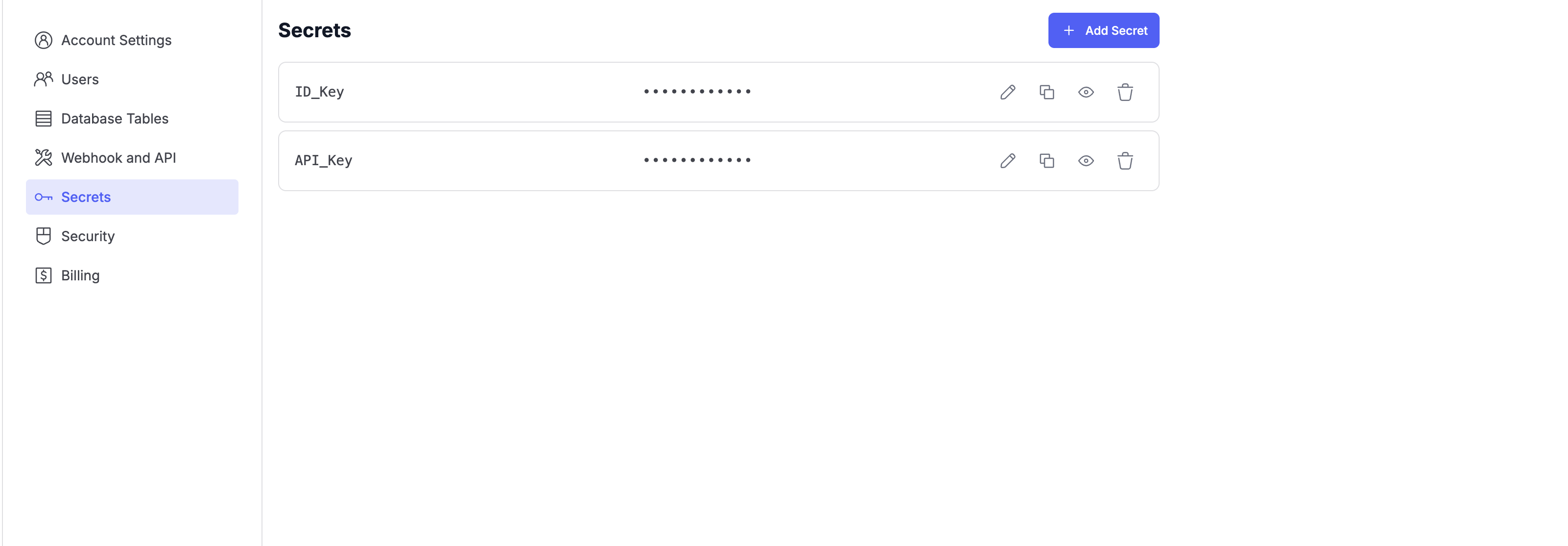
Creating a Secret
- Navigate to Settings → Secrets.
- Click Add Secret.
- Enter a Secret Name (for example,
API_KeyorID_Key). - Enter the Secret Value.
- Save the secret.
Once saved, the secret value is masked and securely stored.
Managing Secrets
From the Secrets page, you can:
- Edit existing secrets
- Copy secret names for reuse
- View or hide secret values
- Delete secrets when no longer needed
All secrets are stored securely, and access is restricted based on workspace permissions.
Using Secrets in Workflows
Secrets can be referenced inside workflow blocks.
External API Block
Use secrets in:
- Authorization headers
- Request headers
- Request body
Example:
Authorization: Bearer {{secrets.API_Key}}
Python Code Block
Access secrets inside your Python logic for authentication or configuration without hardcoding values.
Example:
- Use
secrets.API_Keyas part of your request or processing logic.
Example Use Case
Secure third-party API integration
Store your external service API key as a secret and reference it in External API or Python Code blocks. If the key changes, update it once in Secret Management and all workflows automatically use the latest value—no need to edit individual blocks.
Best Practices
- Use descriptive secret names (for example,
Stripe_API_Key,CRM_Token). - Never hardcode credentials directly inside prompts or code.
- Rotate secrets periodically for improved security.
- Remove unused secrets to keep your workspace clean.
Secret Management ensures your workflows stay secure while enabling powerful integrations across Docsumo.
Need Help?
If you face any issues or have feedback, reach out to our support team at [email protected] or use the in-app chat.
Updated 9 months ago